Ponder - Array Methods
-
.forEach()
The .forEach() method calls a function for each element in an array.
const numbers = [65, 44, 12, 4]; numbers.forEach(myFunction) function myFunction(item) { console.log(item * 10); } //Console output: 650, 440, 120, 40 -
.map()
The .map() method creates a new array from calling a function for every array element.
const numbers = [65, 44, 12, 4]; const newArr = numbers.map(myFunction) function myFunction(num) { return num * 10; } -
.filter()
The .filter() method creates a new array filled with elements that pass a test provided by a function.
const ages = [32, 33, 16, 40]; const result = ages.filter(checkAdult); function checkAdult(age) { return age >= 18; } -
.reduce()
The .reduce() method creates a new array filled with elements that pass a test provided by a function.
const numbers = [125, 20, 5]; document.getElementById("output").innerHTML = numbers.reduce(myFunc); function myFunc(total, num) { return total - num; } -
.indexOf()
The .indexOf() method returns the first index position of a specified value.
const fruits = ["Banana", "Orange", "Apple", "Mango"]; let index = fruits.indexOf("Apple"); -
Template Literals
A template literal is a special type of string in JS that allows multiple lines, calculations, calls to functions, and string interpolation.
String interpolation uses ${...} to insert variables or expressions directly into the string.
The template literal uses backticks (`) to enclose the string.
const movieSummary = ` <div class="movie-summary"> <h2>${movie.title}</h2> <p>${movie.genre} - ${stars}</p> </div> `; document.getElementById("movie-list").innerHTML += movieSummary; -
JavaScript Object
Objects are variables, but objects contain many values
Objects have name/value pairs of data. Like the object of a car would have a name with the value of Fiat, and a Model with a number 500, and a color with the value of white.
const car = {type:"Fiat", model:"500", color:"white"};
Purpose of this Ponder
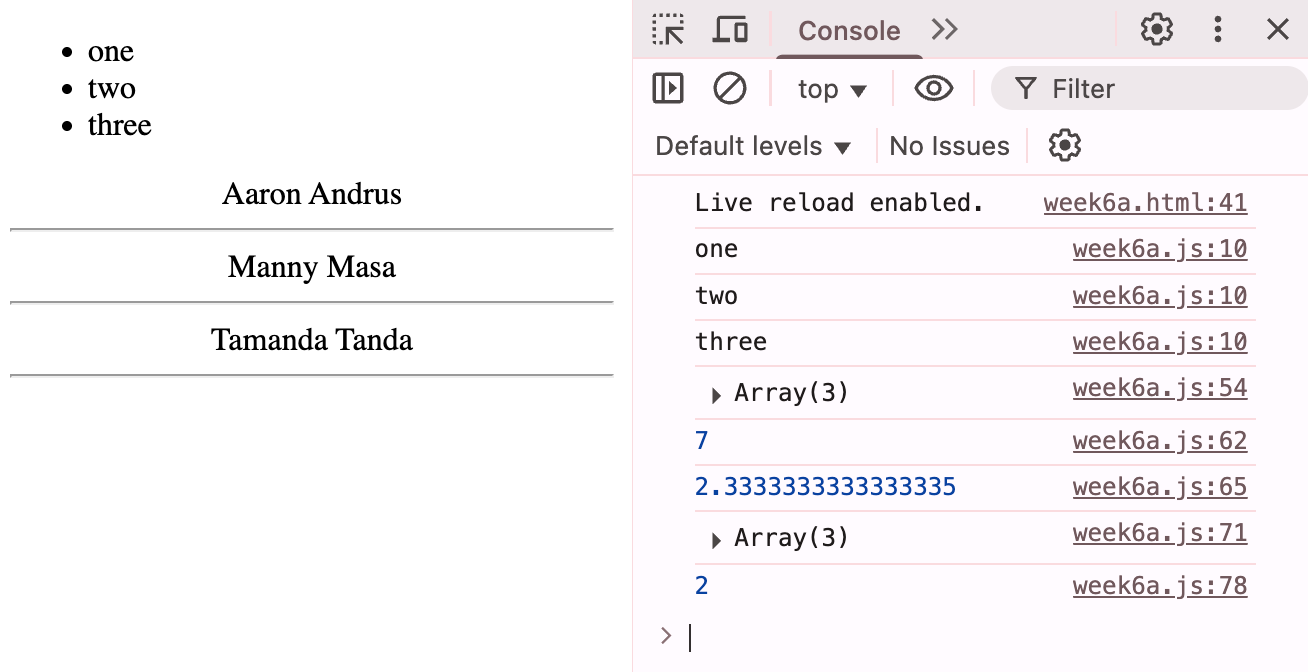
This ponder will demonstrate array methods and a simple template literal for dynamic content. Some output will be on the page and other output in the console.
Practice Code
function convert(grade) {
    switch (grade){
        case 'A':
            points = 4;
            break;
        case 'B':
            points = 3;
            break;
        case 'C':
            points = 2;
            break;
        case 'D':
            points = 1;
            break;
        case 'F':
            points = 0;
            break;
        default:
            alert('not a valid grade');
    }
    return points;
}
const words = ['watermelon', 'peach', 'apple', 'tomato', 'grape'];
const students = [
    {last: 'Andrus', first: 'Aaron'},
    {last: 'Masa', first:'Manny'},
    {last: 'Tanda', first: 'Tamanda'}
];